



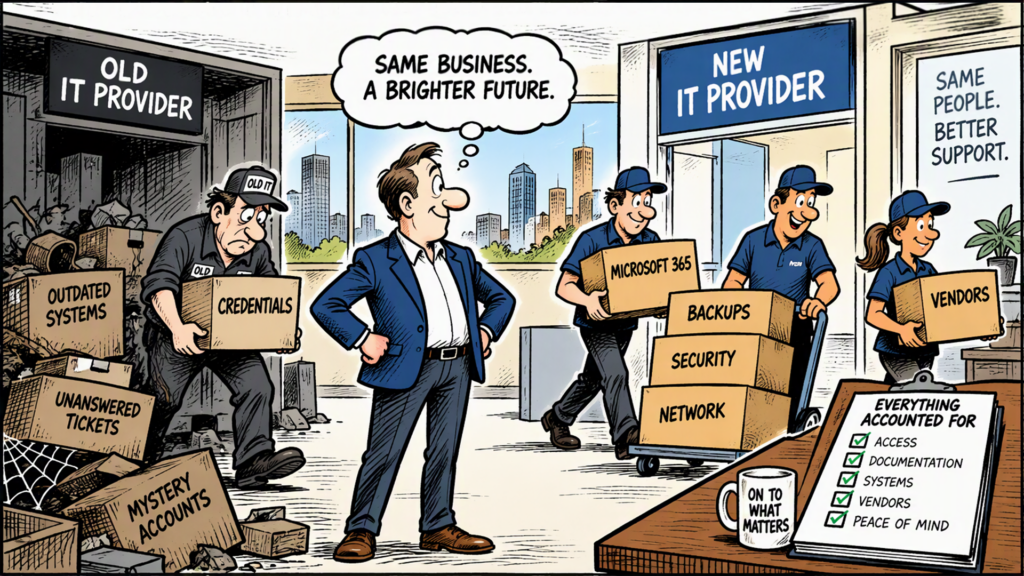
You know the relationship isn’t working.
Support tickets take too long. Problems keep resurfacing. Your team has lost confidence in IT support. Maybe your provider has become reactive instead of proactive, or you have started wondering whether your cybersecurity is getting the attention it deserves.
Yet every time someone suggests switching IT managed service providers, the conversation stalls.
“Changing IT companies sounds like a nightmare.”
For many small and mid-sized businesses, the fear of switching can become more powerful than the frustration that caused them to consider leaving in the first place.
That hesitation is understandable. Your managed service provider may have access to servers, Microsoft 365, backups, firewalls, endpoints, security systems, vendor portals and some of the most sensitive information in your organization. Changing providers isn’t the same as changing your office coffee supplier.
But it also doesn’t have to be chaos.
A successful MSP transition is less about flipping a switch and more about managing a controlled handoff of technology, access, knowledge and responsibility.
Why Are Businesses Afraid to Switch IT Providers?
Most concerns tend to come back to four questions:
- Will our business experience downtime?
- Will something get lost during the transition?
- Will our current IT provider make leaving difficult?
- What if the new provider isn’t any better?
Those are legitimate concerns.
An MSP can be deeply embedded in a company’s operations. Depending on the environment, the provider may manage everything from employee laptops and Microsoft 365 accounts to networks, firewalls, cloud services, backups and cybersecurity.
That’s also why “we’ve been with them forever” isn’t necessarily a good reason to stay.
Businesses should periodically evaluate whether their technology partner still supports where the organization is going, rather than simply whether they can keep today’s systems running.
How Difficult Is It to Switch Managed Service Providers?
Short answer: Switching MSPs can be complicated, but a properly planned transition should be manageable and staged… rather than abrupt.
The challenge usually isn’t physically moving equipment from one company to another. Much of the work involves transferring knowledge and administrative control.
A new provider needs to understand questions such as:
- What hardware and software does the company use?
- Who controls administrative accounts?
- Where are credentials stored?
- What cloud platforms and third-party vendors are involved?
- How are backups configured?
- Who manages the firewall, network and wireless environment?
- What cybersecurity tools are installed?
- Which employees have privileged access?
- Are there compliance requirements that affect how systems must be managed?
This discovery process matters because an IT environment often contains years of decisions that aren’t obvious from looking at a network diagram.
The outgoing MSP may know that an unusual server configuration supports a critical accounting application or that a particular vendor must be contacted before making a network change. Those details need to become institutional knowledge rather than disappearing with the old provider.
Even when a business knows its current IT relationship isn’t working, making a change can still feel risky. Here are some of the most common concerns that cause businesses to hesitate, and what you should know about each one.
Fear #1: “Our Systems Will Go Down During the Switch”
This is often the biggest concern.
But changing MSPs usually does not mean replacing an entire technology environment at once.
A thoughtful transition separates immediate access and security requirements from improvements that can wait.
For example, the new provider might first inventory systems and establish access. Later, after the environment is understood, it may recommend replacing outdated equipment, changing backup platforms or standardizing security tools.
Trying to perform every improvement during the handoff can create unnecessary risk.
A better question to ask a prospective MSP is:
What changes are actually required during onboarding, and what changes can wait until after our environment is stabilized?
Listen for a phased answer rather than a promise that everything will change overnight.
Fear #2: “Our Current Provider Has All Our Passwords”
This concern deserves particular attention.
MSPs frequently have privileged access to customer environments. That means the handoff needs to address far more than someone’s help-desk login.
Access can potentially involve Microsoft 365 or Microsoft Entra administration, local administrator accounts, firewalls, backups, remote-management tools, vendor portals, API credentials and other systems.
Cybersecurity guidance reinforces the importance of carefully managing provider access. CISA has published guidance specifically addressing risk considerations for organizations using managed service providers, including strategic, operational and technical considerations.
A transition therefore shouldn’t end with, “We received the password spreadsheet.”
Credentials and privileged access should be inventoried, transferred securely and reviewed. Appropriate credentials should then be changed or revoked so the former provider does not retain unnecessary access.
That protects everyone involved.
Fear #3: “Our Old MSP Won’t Cooperate”
Most businesses hope for a professional handoff, but cooperation should never be assumed.
This is an excellent reason to examine your existing contract before giving notice.
Look for:
- Termination requirements
- Required notice periods
- Early termination fees
- Ownership of hardware
- Ownership of domains and software licensing
- Documentation requirements
- Data-return provisions
- Backup retention
- Responsibilities at termination
The incoming provider should also have a plan for communicating with the outgoing MSP.
Industry offboarding practices commonly include transferring critical account information, passwords and network documentation and then rotating appropriate passwords afterward.
The cleaner the documentation, the easier the transition. Poor documentation doesn’t necessarily prevent a switch, but it can make discovery take longer.
Fear #4: “What If the New Provider Is Just as Bad?”
This may be the most important concern of all.
Don’t evaluate a new IT partner solely on its monthly price or sales presentation. Evaluate how it operates.
Ask prospective providers questions such as:
About support
- How are support requests prioritized?
- What happens when an issue is urgent?
- Who can escalate a problem?
- Is support local, remote or outsourced?
- How do you measure your service performance?
About cybersecurity
- How do you protect privileged accounts?
- Is multifactor authentication required?
- How are administrative credentials stored?
- How do you monitor endpoints and networks?
- What happens when suspicious activity is detected?
About business continuity
- How do you verify backups?
- How frequently is recovery tested?
- What happens if our primary systems become unavailable?
- Who is responsible during a cybersecurity incident?
About the relationship
- How often will we review our technology strategy?
- Will you help manage third-party technology vendors?
- Who owns our documentation?
- What happens if we eventually decide to leave you?
That last question is particularly revealing.
A provider should be able to explain its offboarding process just as confidently as its onboarding process.
What Should MSP Onboarding Actually Look Like?
There is no universal onboarding timeline because a 25-person professional services company and a 250-person manufacturer with multiple facilities don’t have the same technology environment.
Complexity, cybersecurity requirements, regulatory obligations, number of locations and cooperation from the outgoing provider can all influence timing.
At iTology, for example, the transition process is structured as a phased handoff rather than a single cutover. We focus on understanding the client’s existing environment, coordinating access and documentation, accounting for systems and vendors, and moving responsibility while minimizing disruption.
Operationally, that process begins with a formal Sales-to-Operations handoff. Access and documentation are gathered from the previous provider, credentials are securely transferred and subsequently locked down, and a client-specific project timeline is established with named milestones and a target completion date.
A typical transition might fall somewhere in the 30-to-90-day range, but that shouldn’t be interpreted as a universal promise. The actual committed dates should be established during planning after the incoming provider understands the environment, dependencies, compliance requirements and level of cooperation from the outgoing provider.
That’s an important distinction.
Be cautious when an MSP promises an exact transition date before it has investigated what it’s taking responsibility for.
What Are the Pros and Cons of Switching MSPs?
Potential advantages
Better alignment with the business.
A different provider may better understand your industry’s operational, cybersecurity or compliance requirements.
A fresh review of your technology.
Transitioning creates an opportunity to identify outdated equipment, undocumented systems, unnecessary accounts or overlooked risks.
Improved accountability.
Clearly defined responsibilities, escalation procedures and service expectations can correct many of the frustrations that prompted the search.
A stronger long-term technology strategy.
Technology support encompasses much more than reacting to support tickets. Your IT partner should be in the loop on all conversations that involve your business technology whether it’s replacing software, opening or moving to a new location, evaluating a vendor, upgrading equipment, or simply wondering if there’s a better way to do something.
Potential disadvantages
Transition requires time from your organization.
Someone internally will need to answer questions, identify priorities and participate in planning.
Documentation may reveal surprises.
Old hardware, unknown accounts, forgotten applications and unsupported systems frequently become more visible during discovery.
Some tools may eventually need to change.
Different MSPs use different security, monitoring, backup and management platforms.
There may be short-term costs.
Onboarding, contract termination, equipment replacement or remediation of previously unidentified problems can create expenses that should be understood before making the decision.
None of these automatically means switching is the wrong decision. They are reasons to plan rather than rush.
How Do You Know When It’s Time to Consider Another MSP?
One bad support ticket isn’t necessarily a reason to leave.
A pattern is different.
Consider evaluating alternatives when you repeatedly experience:
- Unresolved or recurring IT problems
- Poor communication
- Slow or unpredictable support
- Little visibility into cybersecurity
- Inadequate documentation
- Lack of strategic planning
- Unexpected technology expenses
- Difficulty getting straight answers
- Technology that no longer supports business growth
Most importantly, ask yourself:
If we were choosing an IT provider today, knowing what we know now, would we choose our current one again?
If the answer is no, fear of the transition shouldn’t automatically end the conversation.
The Goal Isn’t to Switch MSPs. It’s to Make a Better Decision.
Changing managed service providers carries real work and some risk. So does remaining with an IT provider that no longer meets the needs of the business.
The choice shouldn’t come down to which option feels easier this month.
Look at the relationship you’re likely to need over the next several years. Understand your current contract. Ask prospective providers detailed questions about support, cybersecurity, documentation, onboarding and even eventual offboarding.
Then pay close attention to how they answer.
A good transition plan won’t pretend risk doesn’t exist. It will identify the risks, assign responsibility, establish milestones and methodically move control from one provider to another.
Sometimes staying is the right decision.
Sometimes switching is.
Either way, understanding what a well-managed transition actually involves makes it much easier to decide based on the needs of your business rather than the fear of changing what’s familiar.
If you feel like it’s time for you to make a move, call us and we will show you how seamless it can be.
Frequently Asked Questions
How long does it take to switch managed service providers?
There is no universal timeframe. For many small and mid-sized organizations, a structured transition may take roughly 30 to 90 days, depending on company size, number of locations, technology complexity, compliance requirements and cooperation from the outgoing provider. A reliable MSP should establish committed milestones after evaluating the environment rather than guaranteeing an arbitrary date beforehand.
Will changing IT providers cause downtime?
Not necessarily. A phased MSP transition can transfer documentation, administrative access, monitoring, security responsibilities and support functions without replacing every system simultaneously. The incoming provider should explain where disruption is possible and how it intends to mitigate it.
What should I ask an MSP before switching?
Ask about onboarding, support escalation, cybersecurity controls, backup testing, credential management, documentation ownership, vendor management and how the provider handles both onboarding and eventual off-boarding.
Should we change passwords after switching MSPs?
Privileged and shared credentials should be evaluated as part of the transition, with appropriate passwords, tokens and other access changed or revoked after responsibility has been transferred. This helps ensure a former provider does not retain unnecessary access. Industry off-boarding guidance similarly recommends transferring mission-critical access information and rotating required passwords.
